
When your website goes down
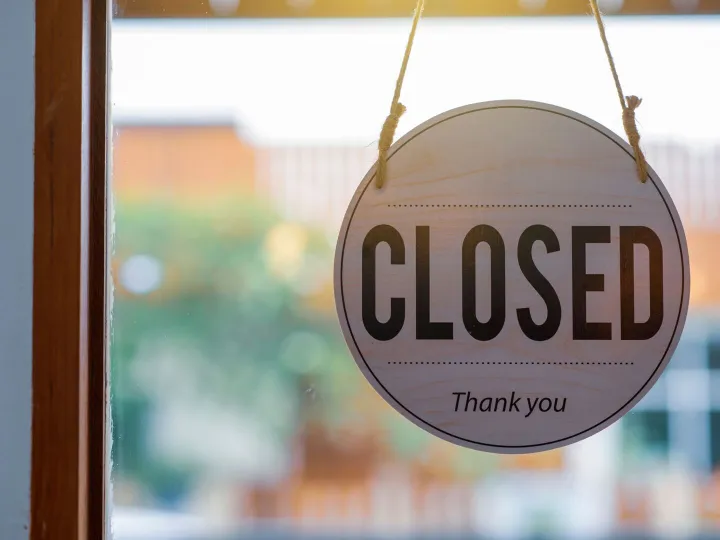
Nobody has ever chosen a business on the strength of its web hosting. It is the least interesting thing about a website, right up until about eleven o’clock on a Saturday morning, when a customer mentions they tried to look you up and got an error message.
At which point it becomes the only interesting thing about your website.
What "down" actually means
Websites fail in several different ways and they do not all mean the same thing, which matters because the fix and the blame are different in each case.
The server is off or overloaded. Your site lives on a computer somewhere. If that computer has fallen over, or is struggling under the weight of everything else living on it, visitors get an error or a page that never finishes loading. This is your hosting company’s problem.
The security certificate has expired. The padlock in the address bar comes from a certificate that has to be renewed, usually every few months. When one lapses, browsers stop being polite about it. Chrome throws up a full-screen red warning telling people your site is not secure, which is roughly the worst possible thing for a stranger to see. The site itself is perfectly fine underneath. The visitor has no way of knowing that.
The domain name has expired. Nothing to do with hosting at all. A renewal failed, usually on a card that expired, and your address has simply stopped pointing anywhere.
Something on the site broke. An update went badly, a plugin conflicted, somebody edited a page and saved something odd. The server is fine, the site is not.
The reason to know the difference is that only one of those four is fixed by shouting at your hosting company, and a business that can tell you which one it is has usually saved itself half a day.
The uncomfortable question: who finds out first?
For a great many small businesses the honest answer is a customer.
That is the actual difference between hosting arrangements, far more than the technical specifications anybody quotes at you. Not speed, not storage, not the number of gigabytes in the table on the pricing page. Simply this: when your website stops working at half past eight on a Saturday evening, is there anything in the world that notices other than a member of the public?
Monitoring is not exotic. Something checks your website every few minutes and tells a human when it stops answering. Plenty of hosting includes it. Plenty does not. The gap between a five-minute outage nobody noticed and a two-day outage discovered on Monday morning is entirely down to whether anyone was watching.
What you are actually buying for a couple of pounds a month
Hosting can be had for less than the price of a coffee, and the honest answer about why is not scandalous. It is arithmetic.
Cheap shared hosting puts a lot of websites on one machine. When that number is sensible, shared hosting is perfectly good and most small business sites should be on it. When it is not, everything slows down together, and you have no way of seeing how crowded your particular machine is.
What tends to be thin at the very bottom of the market:
- Backups. Often daily, often kept for a week, often overwritten before you notice a problem. Sometimes charged for separately at the moment you need one, which is a remarkably effective business model.
- Support that answers at a weekend, in a form other than a help article.
- Monitoring, as above.
- A UK location, which matters slightly for speed and rather more for data handling.
- Protection against the site next door. On badly run shared hosting, somebody else’s compromised website can be your problem.
None of that makes cheap hosting wrong. It makes it a different product from the one it appears to be, and worth understanding before the Saturday morning rather than during it.
Backups: the question nobody asks until it is too late
Three questions, and the third is the one that counts.
How often is it backed up?
Daily is the sensible minimum for most small sites. If you update your site twice a year, weekly is fine. If you take orders, daily is the floor.
How far back can you go?
This matters more than frequency. A problem introduced on the 1st and noticed on the 20th needs a backup from before the 1st. If only seven days are kept, that backup is gone. Thirty days is a much more comfortable number.
Has anybody ever restored one?
A backup nobody has ever tested is a rumour. It is entirely possible for a backup job to run happily for two years and produce files that cannot be restored, and the day you discover this is the worst available day. Ask your provider when they last restored a site from backup. A real answer is a good sign.
What good looks like, without the jargon
If you can answer these five, you are in better shape than most:
- Where is my website hosted, and in which country?
- Who finds out if it goes down, and how fast?
- Who renews my security certificate, and is it automatic?
- How often is it backed up, how far back can I go, and has a restore ever been done?
- On a Saturday, who do I actually ring?
That last one is not a technical question, which is precisely why it is usually the most revealing. The answer is either a name or it is a form.
The Shropshire bit, briefly
Rural connections cut both ways. If you run a holiday cottage near Church Stretton or a farm shop outside Market Drayton, a fair share of your customers are looking you up at odd hours from places with patchy signal, and they are not inclined to try twice. An outage at the wrong moment on a Bank Holiday weekend costs a hospitality business its whole weekend, not a percentage of it.
It also means there is rarely somebody down the road who can pop in and look at it. Whoever holds your hosting is the person who fixes it, wherever they happen to be.
How we do it
Hosting, the SSL certificate, backups and monitoring are all inside the monthly fee on both of our website packages, on UK-based servers, because we would rather find out about a problem ourselves than hear about it from you. There is no separate hosting invoice and no line item that appears the first time something goes wrong.
If you are not with us, we are not suggesting you move on the strength of one article. Go and get the answers to the five questions above from whoever you are with. If they answer them all crisply, you are fine, and that is a genuinely useful thing to know.
Worth reading next: our guide to who owns what covers the related question of whose name your hosting and domain are actually in, and our explainer on website support sets out where hosting ends and support begins.
Let's get your website sorted
Tell us about your project – no hard sell, no hidden costs. Just a friendly chat.